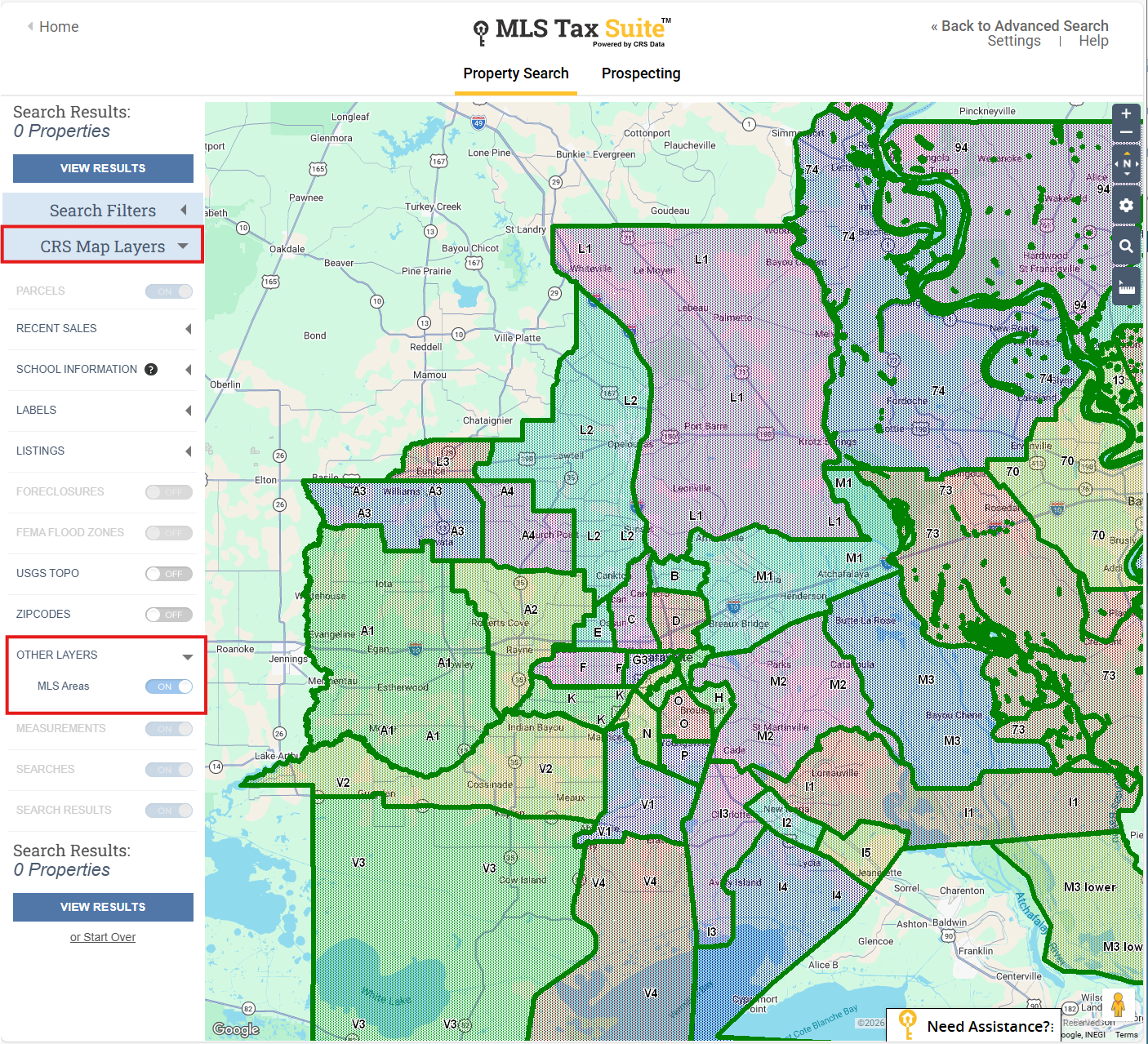
You can now access new MLS Area data in Tax Suite, available in both the Property Report and Map Layer.
How to see the New Area Data:
- Property Report: In the Location section on the report, you will now see an MLS Area field with the data.
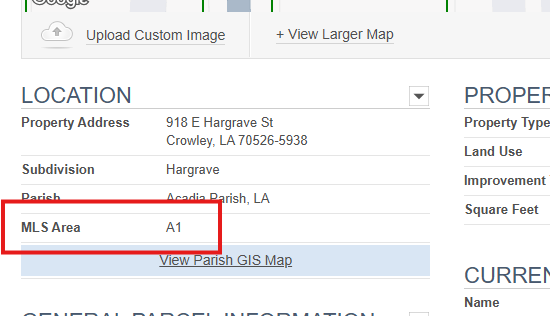
2. Map Layer:
- On the Tax Suite Homepage, click on Advanced Search and Map Search
- Click View Larger Map
- Click on CRS Map Layers to expand
- You will now see MLS Areas that you can toggle on and off
- NOTE: If it is greyed out and unable to turn on, zoom in on your map.