Nav
  • HELP
    • NAR Architectural Styles
    • Quick Contacts
    • Paragon
    • Instanet
    • Supra
    • ShowingTime
    • CloudCMA
    • GBRAR
    • Tech Helpline
  • Timelines
  • Maps
  • News
  • ROAMMLS
  • NAR Settlement Resources
  • NAR Consumer Resources

How to Remove AVMs from Paragon Collaboration Center Reports

Posted May 4, 2020 by MLSBox under MLS Features & Updates

A quick step by step guide on how to remove AVMs from Collaboration Center reports.


TAGS: Paragon

PREVIOUS POST

NAR Committee Applications Are Now Open

NEXT POST

Upcoming Louisiana REALTORS® Webinars

Written by MLSBox

Related Posts


  • New RentSpree Tools Just Launched

  • New MLS Area Data Now Available in Tax Suite

  • New Supra eKEY Features Coming to You Soon

  • ROAM MLS Platform Unification
  • SUPPORT
    • QUICK CONTACTS
    • Paragon
    • Instanet Forms
    • Supra Support
    • Showing Time Support
    • Cloud CMA
    • GBRAR Support
      • fixme.it
    • Tech Helpline
  • Edit Agent/Office Info
  • Member Services
  • IDX
  • MLS Compensation

Recent Updates

  • New RentSpree Tools Just Launched
  • New MLS Area Data Now Available in Tax Suite
  • New Supra eKEY Features Coming to You Soon
  • ROAM MLS Platform Unification
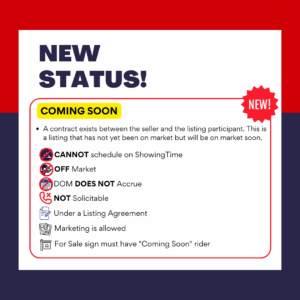
  • NEW: Coming Soon, Activation Date, and Delayed Marketing
  • GBRAR NOW ACCEPTING AWARDS NOMINATIONS!
  • Duplex Types Coming to ROAM
  • General Advisory
  • Zillow Photo Error
  • Proper Use of the eKey System

© 2026